


TRIGGERICONGuide
Local SEO in Toronto: how to get your business into the Google Maps results
 By TRIGGERICON team
Published 8 min read

Key takeaways
- Google ranks local results by relevance, distance and prominence. You can improve relevance and prominence; you cannot move your address.
- A verified, complete Google Business Profile is the base: the right primary category, hours, services, photos and replies to reviews.
- Toronto is a city of neighbourhoods and distance is part of the ranking, so compete for the area around you first.
- Your website still matters: a clear page for each service and area you serve helps Google understand what you do and where.
- No one can pay for a better local ranking. Steady work on your profile, reviews, website and local mentions is what moves you up.
Search for “dentist near me” or “accountant North York” and Google shows a map with a short list of businesses before any website. For most Toronto businesses that serve local customers, that list is where the phone calls, direction requests and bookings come from. Local SEO in Toronto is the work of getting your business into it, and keeping it there.
This guide explains how Google chooses those businesses, what affects your Google Maps ranking, what to fix first, and how to compete in a city where every neighbourhood has its own competitors.
How Google ranks local results
Google says local results are based mainly on three things:
- Relevance: how well your Business Profile matches what someone is searching for.
- Distance: how far your business is from the person searching. If they do not share their location, Google uses what it knows about them.
- Prominence: how well known your business is. Google names links from other websites and your reviews among the signals, and says more reviews and positive ratings can help your local ranking.
Google is also clear on one point: there is no way to request or pay for a better local ranking. You can buy ads that appear in Maps and Search, but the unpaid list is earned.
You cannot change where your business is. You can make Google sure about what you do (relevance) and make your business better known (prominence). That is where local SEO work goes.
Why local SEO is different in Toronto
Toronto also has nearly 110,000 businesses, most of them small and medium-sized, according to the Government of Canada. That means two things for local search:
- Competition is close. In most categories there are several businesses within a few blocks of each other, so small differences in your profile, reviews and photos decide who appears.
- The city is a set of neighbourhoods. Because distance is part of the ranking, someone in Etobicoke searching for a physio is usually shown clinics near them, not downtown. A business in Scarborough competes with Scarborough first.
So the goal is not “rank everywhere in Toronto”. It is to be the obvious choice in the area around you, then grow from there.
What affects your Google Maps ranking
| Factor | What Google looks at | What you can do |
|---|---|---|
| Relevance | How well your profile matches the search | Pick the right categories, list every service, write a clear description |
| Distance | How far you are from the searcher | Keep your address or service area accurate |
| Prominence | How well known you are: reviews, ratings, links | Earn reviews, reply to them, add photos, earn local mentions, keep your website strong |
The steps below follow that table: profile first, then reviews, then your website and the rest of the web.
Step 1: get your Google Business Profile right
Your Google Business Profile is the base of local SEO. Google’s own tips are to verify your business, keep your information up to date (including special hours), respond to reviews and add photos and videos.
- Verify your profile, so Google knows you are allowed to manage it
- Use your real business name, with no added keywords or neighbourhood names
- Choose the most specific primary category (for example “Tax preparation service”, not just “Accountant”), then only the extra categories that genuinely apply
- Add your services, opening hours, holiday hours and attributes
- Show your address if customers visit you; set a service area if you visit them
- Add real photos of your premises, team and work, and keep adding them
- Reply to every review, good or bad, in a calm and helpful way
Our Google Business Profile guide for Canadian businesses goes through each setting, and the most common profile mistakes shows what to avoid.
Step 2: build online reviews steadily
Online reviews are part of prominence, and they are also what people read before they choose. In a crowded Toronto category, a business with a steady flow of recent reviews looks more active and more trusted than one whose last review is a year old.
- Ask every customer, not only the ones you expect to be happy, at a natural moment: right after the job, the meal or the appointment.
- Make it easy: a short link or QR code, sent by text or email.
- Reply to every review, including the critical ones. A calm, helpful reply often matters more to the next reader than the review itself.
- Never offer anything in return. Google’s policy does not allow payment, discounts or free goods or services in exchange for reviews, or asking only for positive ones, and it removes reviews that break the rules.
If you want review requests to go out automatically after a visit or a purchase, SalesSpark, our customer engagement platform, can send them by text or email.
Step 3: make your website support your profile
Your website helps Google understand what you do and where, and it is where many people go after seeing your profile. For local SEO that usually means:
- A page for every main service, written for the people who search for it, not a single “Services” page listing everything.
- Your name, address and phone number the same on your website as on your profile and on directories.
- Areas you serve, mentioned naturally. If you have real work, clients or locations in Mississauga, Vaughan or Markham, a page for each area can help. A page that only swaps the city name does not.
- Fast pages on phones, because most local searches happen on a phone, often on mobile data.
- A clear next step: a phone number that calls when tapped, directions and online booking where you take appointments.
Step 4: earn mentions and links in the city
Prominence also comes from what other websites say about you. Local links tend to be the most useful: business associations and BIAs, local news, suppliers and partners, sponsorships, community events and directories that real customers use. One genuine mention from a respected local site is worth more than dozens of low-quality listings.
A simple habit helps: every time you sponsor something, join something or work with a local partner, ask whether they can list or mention your business on their website.
Step 5: win near me searches without tricks
Near me searches, such as “plumber near me” or “brunch near me”, are some of the most valuable local searches because the person usually wants to act soon. There is no special trick for them. Google already knows roughly where the searcher is, so distance is handled for you, and the rest comes down to relevance and prominence.
- Do not add “near me” to your business name or stuff it into your description. It breaks Google’s name guidelines and does not help.
- Make your categories and services match the words people use. Someone searching “emergency plumber near me” should see that you offer emergency calls.
- Keep your hours accurate, including holidays. A business that looks closed is unlikely to be chosen for an urgent search.
Step 6: measure what matters
Rankings move every day and change with where the searcher stands, so do not judge local SEO on one search from your office. Track:
- calls, direction requests and website clicks from your Business Profile
- enquiries and bookings from local search on your website
- the number and rating of new reviews each month
Check these every month and note what you changed. Those numbers tell you whether local SEO is bringing customers, which is the only reason to do it.
When to get help
You can do the basics yourself. It is worth getting help when your category is crowded, when you serve several areas or locations, or when you want local SEO to work together with Google Ads, social media and your website.
If you are comparing SEO services in Toronto, look for a team that reports on calls, bookings and enquiries rather than only rankings, never promises a position, and connects your profile, website and ads into one plan. Our page for businesses looking for a digital marketing agency in Toronto explains how we work. If you are weighing paid search against SEO, read SEO vs Google Ads first. Serving customers beyond Toronto? See how a digital marketing agency for the GTA plans local search city by city, for example for a digital marketing agency in Mississauga.
TRIGGERICON is a growth agency with a head office in Toronto. We handle SEO, Google Business Profiles and local search as part of one plan for growing your business, and we meet clients in person or online.
Final thoughts
Local SEO in Toronto is won block by block. Get your Google Business Profile complete and accurate, earn reviews from every customer, make your website back up what your profile says, and build your name in the neighbourhood. None of it is a trick, and all of it keeps working long after you have done it.
Sources
- Tips to improve your local ranking on Google, Google Business Profile Help
- Guidelines for representing your business on Google, Google Business Profile Help
- Prohibited and restricted content, Maps User Generated Content Policy Help
- Let’s get local: exploring municipal diversity, Statistics Canada (2021 Census)
- Government of Canada investments to help businesses thrive and drive economic growth, FedDev Ontario, December 2025
Questions and answers
What is local SEO?
Local SEO is the work of making your business show up when people nearby search for what you sell, in the Google Maps results and in the local results on Google Search. It covers your Google Business Profile, reviews, your website and mentions of your business on other sites.
How does Google decide which businesses show in the Maps results?
Google says local results are based mainly on relevance, distance and prominence: how well your profile matches the search, how far you are from the person searching, and how well known your business is, including reviews and links from other websites.
Can I pay to rank higher in Google Maps?
No. Google says there is no way to request or pay for a better local ranking. You can buy ads that appear in Maps, but the unpaid results are earned through relevance and prominence.
How long does local SEO take in Toronto?
It depends on your category, your area and how strong your competitors are. Fixing your Google Business Profile can help sooner; building reviews, content and links is steady work over months. Be careful with anyone who promises a position.
Do I need a Toronto address to rank in Toronto?
To show in the Maps results you need a verified Google Business Profile. Businesses that visit customers can set a service area instead of showing an address. Distance to the searcher still matters, so most businesses rank best near their own location.
TopicsSEO and AI search
IndustriesProfessional servicesHealthcare and wellnessRestaurants and foodRetailConstruction and trades
Want expert eyes on your growth plan?.
Qualifying businesses get up to 3 months of free growth consulting with our team. Not sure if you qualify? This button opens a short eligibility check on a separate page.
Keep reading
 TRIGGERICONChecklist
How to choose a digital marketing agency: 10 questions to ask before you sign
How to choose a digital marketing agency in the GTA: 10 questions to ask, the red flags to watch for and what good reporting looks like.6 min read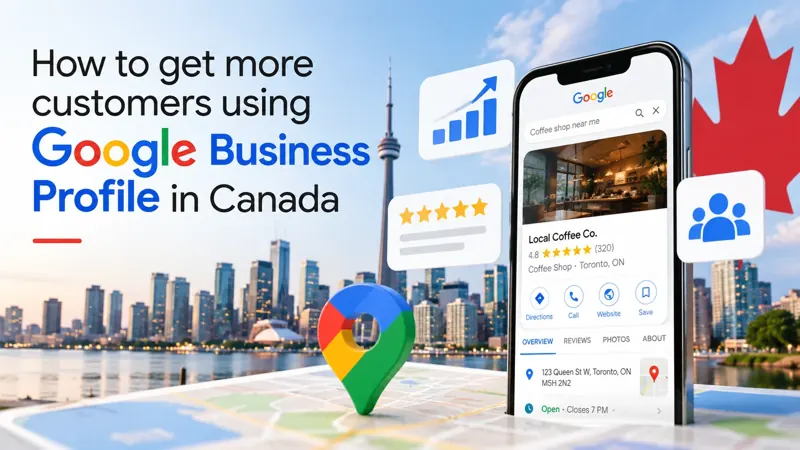 TRIGGERICONGuide
How to get more customers using Google Business Profile in Canada (2026 guide)
A step-by-step 2026 guide to Google Business Profile optimization in Canada: local SEO, Google Maps ranking and practical tips that turn searches into customers.6 min read TRIGGERICONComparison